


No version in your language
Plenty of Japanese, Chinese and Korean games never get localized — or get there years later.
 Sincron Screen Tools
Menu, item, dialogue, manga bubble. Select what is on screen and read it in your language without closing the game or the reader.
Illustrative animation: the app selects part of the screen — a map, an article, a post, an error log or a game — and shows the translation in the same place as the original.
The fastest way to translate a game without an official localization is an on-screen translation tool like Sincron Screen Tools: press a global shortcut, select the region with the text — a menu, a dialogue line, or a manga bubble — and read the translation overlaid on the screen without leaving the game. Sincron Screen Tools is a Windows app that works with windowed and borderless games, emulators, visual novels, and manga readers, including vertical Japanese text and right-to-left reading order.
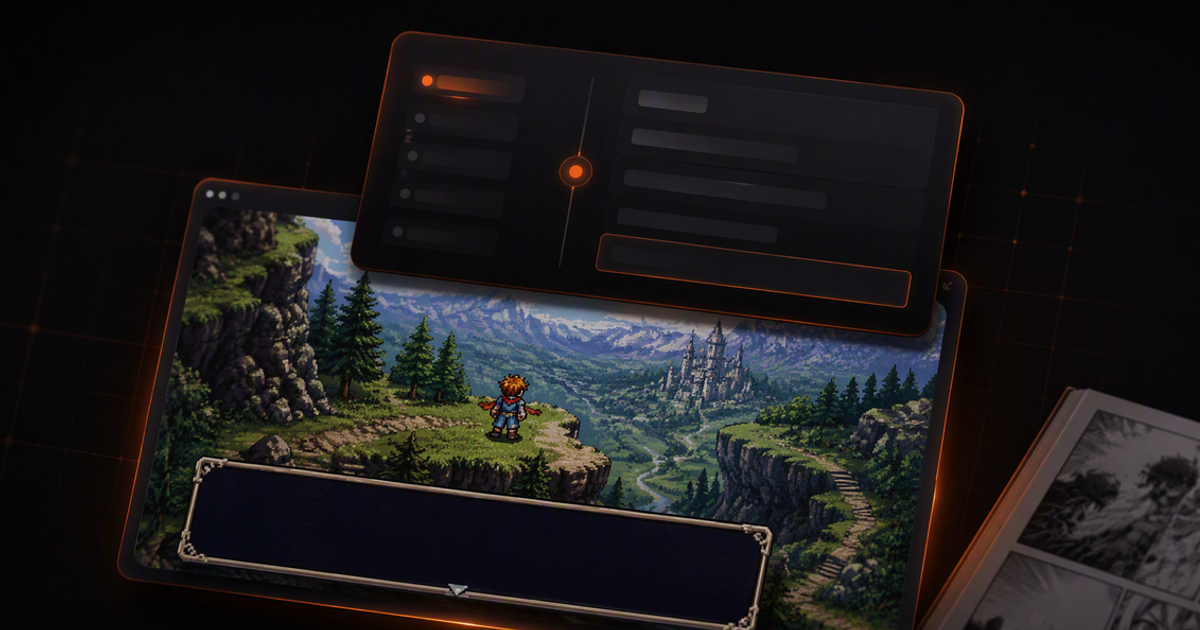
Plenty of Japanese, Chinese and Korean games never get localized — or get there years later.
Leaving the game to type the text into a translator destroys the pace and sometimes minimizes your session.
Dialogue drawn into an image and rendered menus cannot be copied, so page translators never reach them.
Global shortcut: it works with the game in front, windowed or in borderless full screen.
The translation appears over the bubble itself, keeping who is speaking and the order of the scene.
The summary explains what the menu is asking or what the quest wants — handy when a literal translation stays ambiguous.
Save the translated page as a PNG to reread later or send to whoever is playing along.
Calls the selection without leaving the game. Esc puts everything back.
The translation respects the position of each line, so the reading order of the page holds.
Vertical manga text and right-to-left reading are treated as what they are, not as loose lines.
It only works when you call the shortcut; the rest of the time it sits quietly in the tray.
| What matters | Traditional flow | With Sincron |
|---|---|---|
| Translating an in-game menu | Alt+Tab to a translator and retype the text | Global shortcut, translation over the screen, game stays open |
| Manga bubbles (text inside the image) | Nothing to copy; page translators cannot reach it | Reads the text straight from the bubble image |
| Vertical Japanese text | Reading order gets scrambled | Vertical and right-to-left order are preserved |
| Pace of the session | Every question interrupts the run | Seconds per lookup; Esc restores the screen |
| Keeping what you translated | Manual notes only | Exports the translated page as a PNG |
It works best in windowed or borderless full screen, which is how most games run today. In exclusive full screen, switch to windowed so the overlay can draw on top.
Yes. Vertical Japanese text and right-to-left reading are handled as part of the format, so the order of the lines holds.
It does. An emulator is a window like any other: if the screen shows it, the selection reads it.
The tool only reads the image on your screen and draws on top — it injects nothing into the game and changes no files. Even so, check the rules of the game you play.
The free plan has no time limit: capturing and annotating are unlimited, and translation gets 5 uses a day, with your own OpenAI or OpenRouter key. The paid plans (annual or lifetime) remove that limit; prices are in the pricing section on this page. AI usage is billed separately by your key's provider.
Capture and annotation do: they work with no internet and no key. Translation and summarization need a connection, because they use your OpenAI or OpenRouter key and the selection goes straight to the provider you chose.
For selectable text, pasting into a translator works. Sincron handles what cannot be selected: rendered menus, bubbles drawn into the image, and text inside games — without pulling you out of the session.
Any game running windowed or borderless full screen — including emulators, visual novels, and launchers. In exclusive full screen, switch to borderless so the overlay can draw on top.
Content last updated in August 2026.
Six tools measured against the same problem: text locked inside the game, impossible to select or copy.
Games, manga, manuals, legacy spreadsheets. Japanese breaks automatic recognition more than any other language — and you can tell in advance when it will work.
Games, webtoons, social posts, online stores. Hangul is the easiest of the three Asian systems — and it still has two traps.
Unlocalized games, industrial software, technical documentation, forums. Cyrillic is easy to recognize — the font is usually the problem.
The game is great and it has no translation for your language. You can still play it — as long as you know which of the two cases is yours.
Charts, tables and captions the PDF will not let you copy.
Text trapped inside an image, a thread in another language, a regional meme.
Docs in Japanese, ERP consoles, stack traces, internal dashboards.
Read text in images, apps and PDFs translated in place, without copy and paste.
Turn charts, tables, and dense interfaces into a short explanation.
Arrows, highlights and text on a screenshot, with background and shadow. Free and unlimited.
Your selection goes straight from your computer to the AI provider you picked — with your key. We do not store the content, we do not train on it and we have no way to read what you translated.
Captured content is never stored. Only the usage counter stays on your computer.
No credit card to try. One payment to unlock.
Annotate with no key · translate with your key
To explore everything.
US$ 0no expiration
Everything unlocked for a year.
US$ 36per year
only US$ 3 a month
Pay once, use forever.
US$ 89one-time payment
Secure payment via Stripe · subscriptions can be cancelled anytime